🚚 Free Worldwide Shipping on All Orders!Shop Now



Insta360 GO Ultra Action Camera Premium Underwater AquaLens with High Transparency Glass, Scratch-Resistant and Quick Attachment Design CINSCBEK
► Descriptions
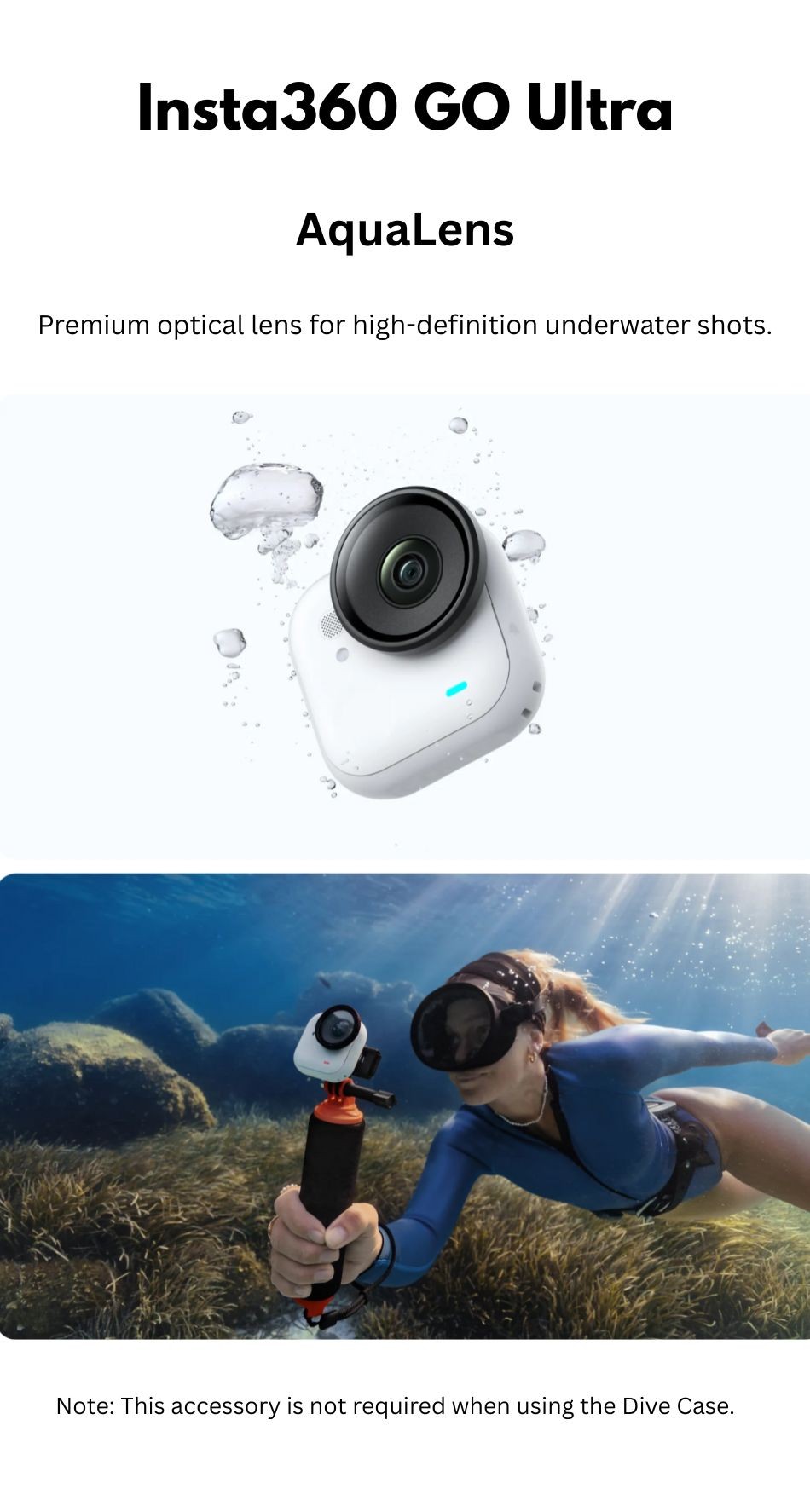
► The Aqua Lens is an optional lens attachment from Insta360 designed to improve image clarity underwater, especially when using the GO Ultra or similar cameras. Without it, the standard lens tends to produce blurrier or fuzzier footage underwater.
• Premium optical lens for high-definition underwater shots.
Notes:
1. The AquaLens is designed for underwater shooting. it is not recommended for non-underwater scenarios.
2. The AquaLens is not compatible with the Dive Case. When Using the Dive Case, only the lens guard supplied with GO Ultra is compatible.
3. After shooting underwater, replace the AquaLens with the lens guard supplied with GO Ultra before shooting
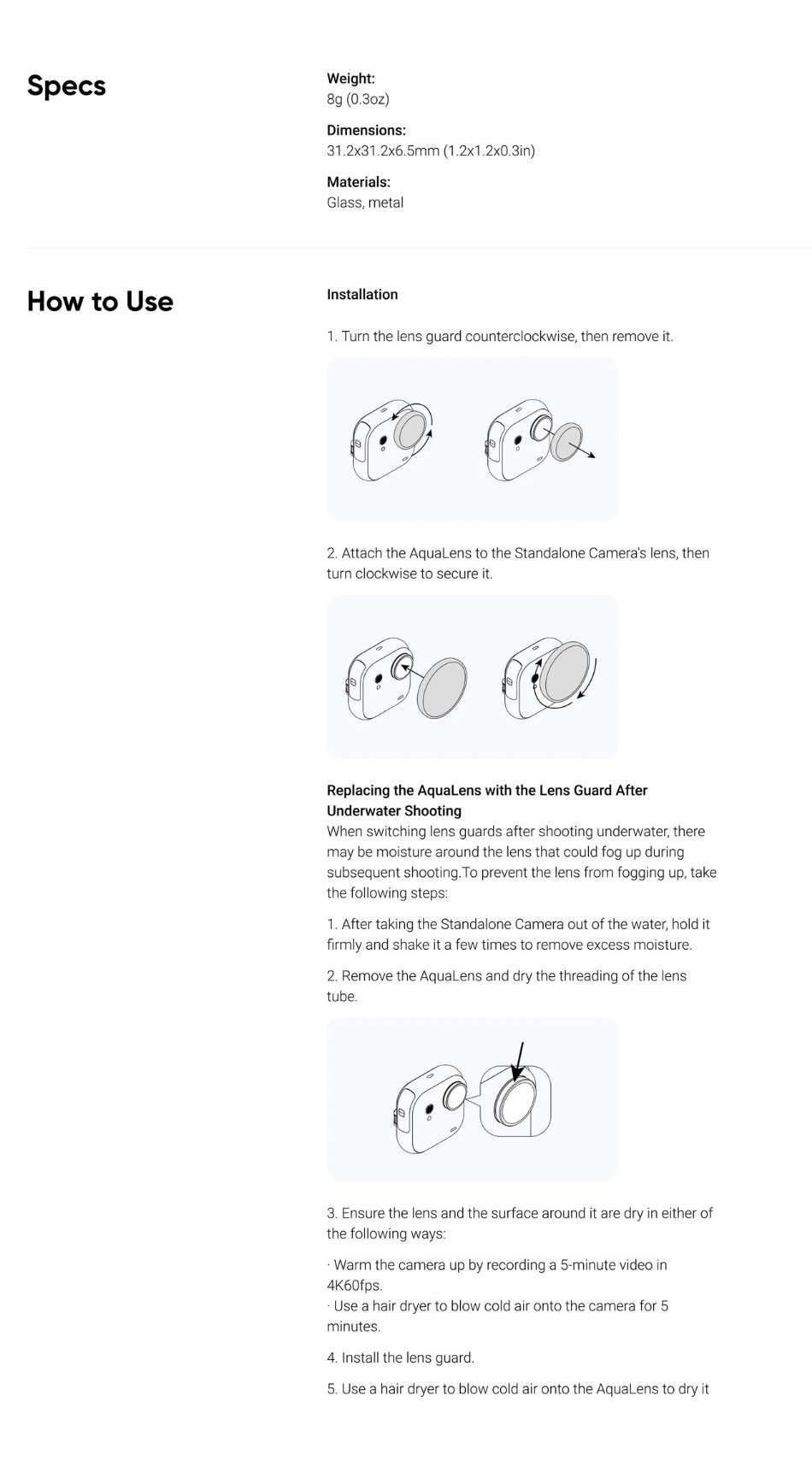
4. Before installing the AquaLens, check the Aqualens and camera lens carefully to ensure both are clean and dry.
5. Install the AquaLens in a clean, dry environment.
6. Before use, make sure to fully tighten the AquaLens. If water get inside, image quality may be compromised.
► Specifications
• Weight:8g (0.3oz)
• Dimensions: 31.2x31.2x9.5mm (1.2x1.2x0.3in)
• Materials: Glass, metal
► Compatibility
• GO Ultra
► What's inside the box?
• 1x Aqua Lens
• 1x Lens Cloth
$4.82
Original: $13.77
-65%Insta360 GO Ultra Action Camera Premium Underwater AquaLens with High Transparency Glass, Scratch-Resistant and Quick Attachment Design CINSCBEK—
$13.77
$4.82Product Information
Product Information
Shipping & Returns
Shipping & Returns
Description
► Descriptions
► The Aqua Lens is an optional lens attachment from Insta360 designed to improve image clarity underwater, especially when using the GO Ultra or similar cameras. Without it, the standard lens tends to produce blurrier or fuzzier footage underwater.
• Premium optical lens for high-definition underwater shots.
Notes:
1. The AquaLens is designed for underwater shooting. it is not recommended for non-underwater scenarios.
2. The AquaLens is not compatible with the Dive Case. When Using the Dive Case, only the lens guard supplied with GO Ultra is compatible.
3. After shooting underwater, replace the AquaLens with the lens guard supplied with GO Ultra before shooting
4. Before installing the AquaLens, check the Aqualens and camera lens carefully to ensure both are clean and dry.
5. Install the AquaLens in a clean, dry environment.
6. Before use, make sure to fully tighten the AquaLens. If water get inside, image quality may be compromised.
► Specifications
• Weight:8g (0.3oz)
• Dimensions: 31.2x31.2x9.5mm (1.2x1.2x0.3in)
• Materials: Glass, metal
► Compatibility
• GO Ultra
► What's inside the box?
• 1x Aqua Lens
• 1x Lens Cloth