
Vention 7 in 1 USB Type C Hub with 4K HDMI Output, 5Gbps USB 3.0 Ports, SD / microSD Card Reader, & Fast Charging USB-C Power Delivery Adapter Dock | TOJHB
• 【7 in 1 Multiport Hub】 The intelligent USB C hub multiport adapter is the perfect accessories for your work and life. This USB C hub is equipped with 4K@30 HDMI Port, 3*USB 3. 0 Ports, 100W Type C Power Delivery charging port, and SD/TF card readers.
• 【4K Visual Feast】 Mirror or extend your screens and directly stream video to HDTV, monitor, or projector with a resolution up to 4K at 30Hz via HDMI port. VENTION USB C to HDMI hub will bring an immersive 3D resolution experience to you.
• 【Fast PD Charging】 The USB-C charging input port of this multiport USB C to HDMI Adapter could connect a power adapter up to 100W power delivery to keep your MacBook air high-speed charging while you're using all other functions of the adapter.
• 【High Speed Data Transfer】 The USB port hub has three USB A 3.0 ports which makes it a perfect USB c splitter. This small USB hub is capable of 5Gbps transfer speed for quick data transfer and is also compatible with USB A 2.0 and below. The SD and TF card slots with a max of 104Mbp/s enable them to work simultaneously and support different memory card formats (such as SD, SDHC, Micro SD, MMC, and SDXC).
• 【Widely Compatibility】 Plug and Play, no additional driver is needed. This USB c to USB adapter multiport supports almost all Type-C(USB-C) devices such as MacBook Pro, MacBook Air, iPad Pro, Dell XPS, etc. Note: When connecting an external hard drive, you need to use a USB C Cable to connect to this USB C Hub for the power supply.
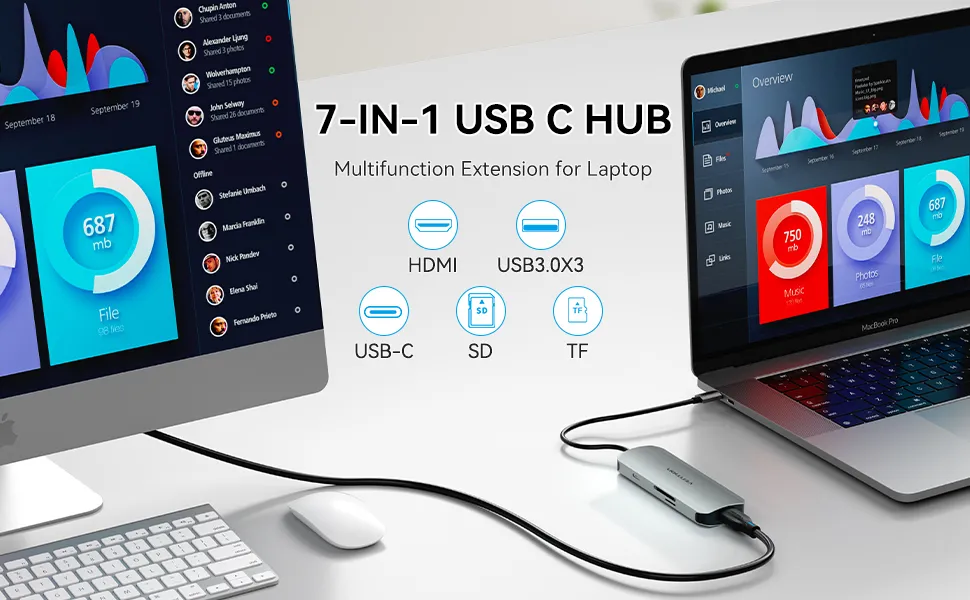
Turn a single USB-C port into 4K HDMI port for display expansion, 100W PD charging, two card slots and three USB 3.0 ports for data file transfer.
Warm Tips:
- PD port(USB-C) is only for charging the laptop, not charging other devices.
- When connecting an external hard drive, you need to use a USB C Cable to connect to this USB C Hub for power supply.
- It is normal to get hot when all functions of this USB-C Hub are used at the same time.
- If HDMI does not involve conversion, there will be no compatibility problems. If your device is not compatible with this HDMI port, please change another device to connect.
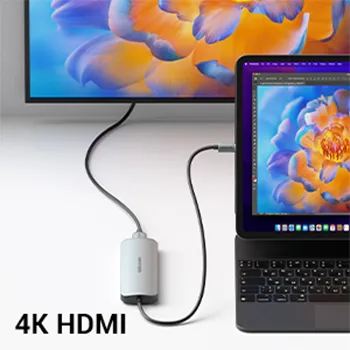
4K UHD Visual Feast

SD/TF Card Reader
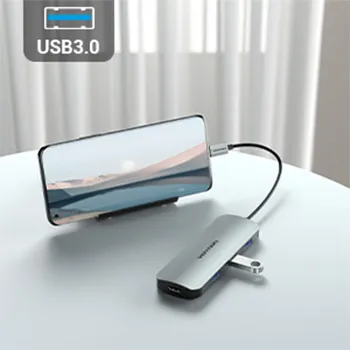
Transfer Files in Seconds
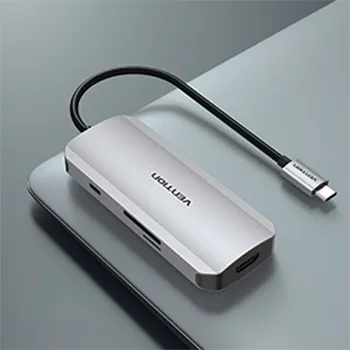
Aluminum-alloy Body Case
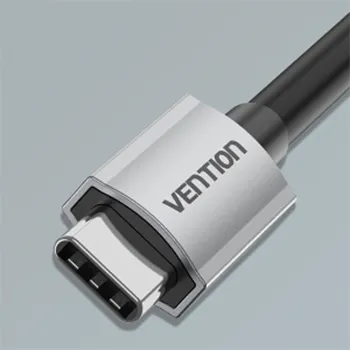
High Quality

Small and Portable
Original: $21.09
-65%$21.09
$7.38Product Information
Product Information
Shipping & Returns
Shipping & Returns
Description
• 【7 in 1 Multiport Hub】 The intelligent USB C hub multiport adapter is the perfect accessories for your work and life. This USB C hub is equipped with 4K@30 HDMI Port, 3*USB 3. 0 Ports, 100W Type C Power Delivery charging port, and SD/TF card readers.
• 【4K Visual Feast】 Mirror or extend your screens and directly stream video to HDTV, monitor, or projector with a resolution up to 4K at 30Hz via HDMI port. VENTION USB C to HDMI hub will bring an immersive 3D resolution experience to you.
• 【Fast PD Charging】 The USB-C charging input port of this multiport USB C to HDMI Adapter could connect a power adapter up to 100W power delivery to keep your MacBook air high-speed charging while you're using all other functions of the adapter.
• 【High Speed Data Transfer】 The USB port hub has three USB A 3.0 ports which makes it a perfect USB c splitter. This small USB hub is capable of 5Gbps transfer speed for quick data transfer and is also compatible with USB A 2.0 and below. The SD and TF card slots with a max of 104Mbp/s enable them to work simultaneously and support different memory card formats (such as SD, SDHC, Micro SD, MMC, and SDXC).
• 【Widely Compatibility】 Plug and Play, no additional driver is needed. This USB c to USB adapter multiport supports almost all Type-C(USB-C) devices such as MacBook Pro, MacBook Air, iPad Pro, Dell XPS, etc. Note: When connecting an external hard drive, you need to use a USB C Cable to connect to this USB C Hub for the power supply.
Turn a single USB-C port into 4K HDMI port for display expansion, 100W PD charging, two card slots and three USB 3.0 ports for data file transfer.
Warm Tips:
- PD port(USB-C) is only for charging the laptop, not charging other devices.
- When connecting an external hard drive, you need to use a USB C Cable to connect to this USB C Hub for power supply.
- It is normal to get hot when all functions of this USB-C Hub are used at the same time.
- If HDMI does not involve conversion, there will be no compatibility problems. If your device is not compatible with this HDMI port, please change another device to connect.
4K UHD Visual Feast
SD/TF Card Reader
Transfer Files in Seconds
Aluminum-alloy Body Case
High Quality